
Introduction
On this page you find a short description how to implement your own custom WebTSM Services extension.
How to Build a New WebTSM Services Extension
-
Create a new Class Library Project in Visual Studio and select .NET 5.0 as Target Framework
-
Add NuGet Package "HAKOM.Framework.Services"
-
Add HAKOM.Config and HAKOM.License to the Project and set the following FileProperties for each file:
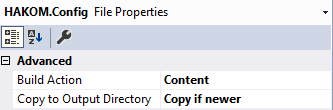
-
Edit Project Properties → Build Events
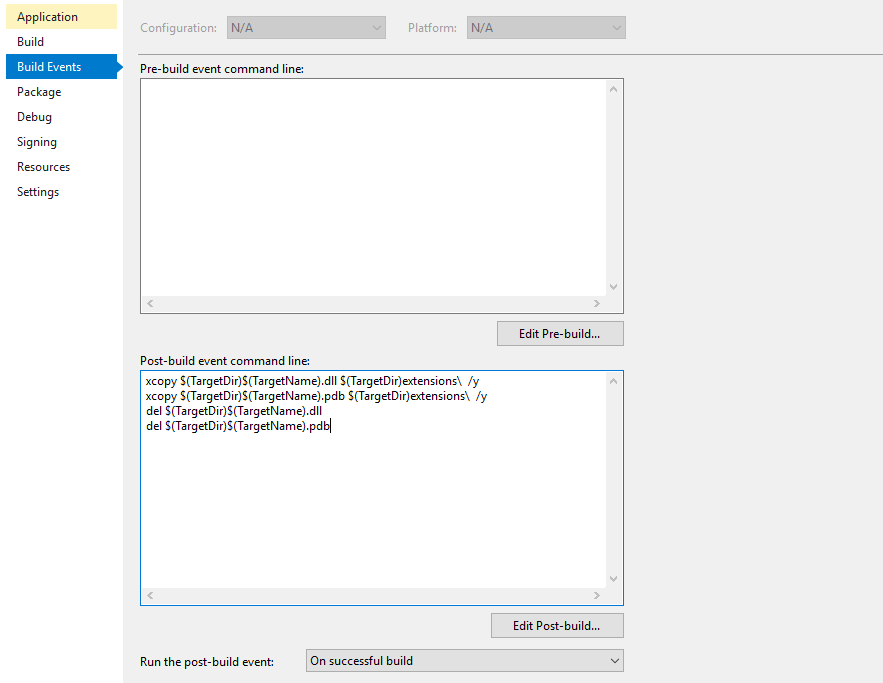 PowerShell
xcopy "$(TargetDir)$(TargetName).dll" "$(TargetDir)extensions\" /y xcopy "$(TargetDir)$(TargetName).pdb" "$(TargetDir)extensions\" /y del "$(TargetDir)$(TargetName).dll" del "$(TargetDir)$(TargetName).pdb"
-
Edit your csproj file and add the following target
XML<Target Name="DotNetPublish" AfterTargets="PostBuild"> <Exec Command="dotnet publish --no-build -f net5.0 -o "$(TargetDir)"" /> </Target>
-
Edit Project Properties → Debug
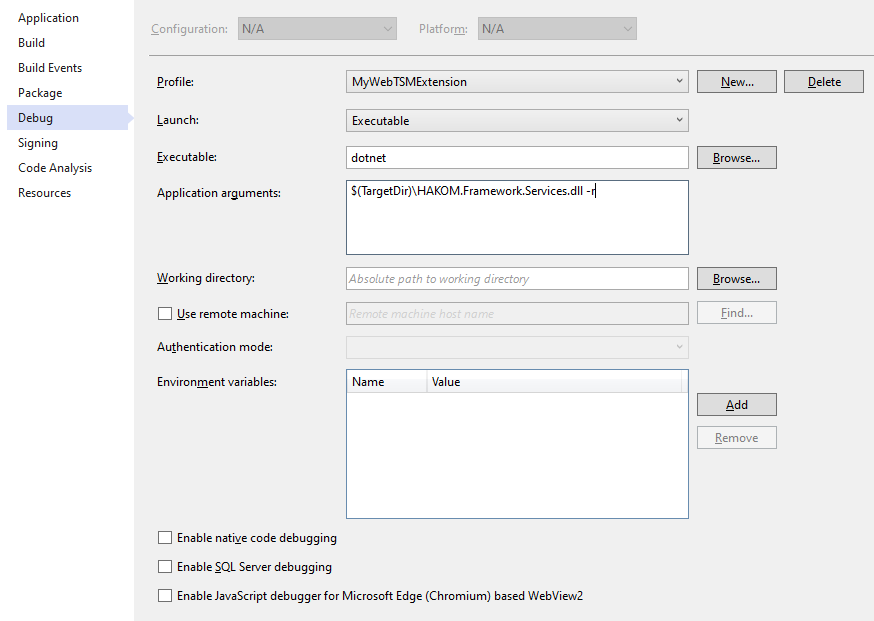
-
Create your WebTSM Services Extension Controller Class:
C#using System; using HAKOM.Framework.Services.Extensibility; using Microsoft.AspNetCore.Mvc; namespace MyWebTSMExtension { [WebTSMServiceExtension(Name: "mwe")] public class MWExtensionController : ExtensionBaseController { [Route("foo")] public IActionResult DoSomething([FromQuery]string param1) { return Ok("whatever"); } } }
-
Start Debugging and call your new Extension Method via GET "{ServiceURL}/extensions/mwe/foo"