
Assigning a Time Series a Schedule via Attributes
In TSM time series are assigned KISS-A schedules via attributes:
-
KISSASeller represents the sender, row 4 of the KISS-A-file.
-
KISSABuyer represents the receiver, row 5 of the KISS-A-file.
The target time series must have these two attributes with the respective values assigned to it:
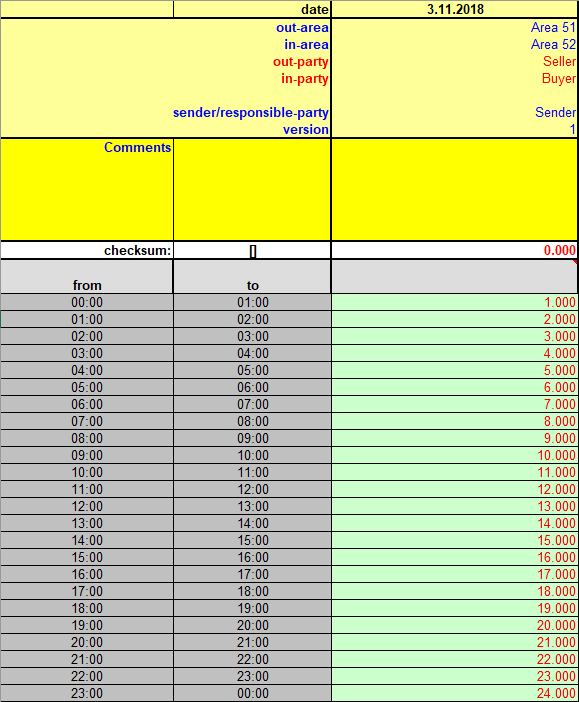
In Column C, the sender is "Seller" and the receiver is "Buyer". The attribute assignment is:

Importing the Data
Saving the data works as usual via the "Save"-Ribbon or the "Save to DB"-Tab. TSM will search for the time series, with the matching Seller-Buyer pair assigned and saves the data.
Attention: The database connection is not stated in the KISS-A file. Therefore two elements have to be set in the HAKOM.Config:
-
<KISSAImportPlugIn /> is set to a time series plug-in
-
<KISSAImportConnection /> is set to a valid database connection